E-Fabrication · Unit 07
Inputs + Outputs
Circuits + Coding · Simple electronics + Arduino options
Today’s challenge
Connect a button or sensor to a light, sound, or motion response.
Grade 3 focusPaper circuits, LEDs, handmade switches, block-code demonstrations, and one input/output relationship.
Grade 5 focusBreadboards, resistors, sensors, Arduino or simulator code, debugging logs, and multiple operating states.
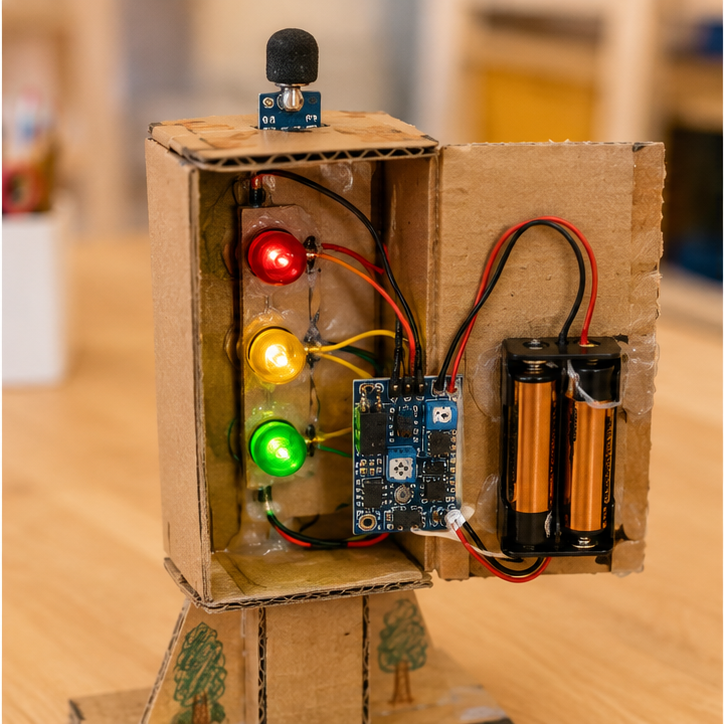
Success example · inspiration, not a design to copy
Look closely. What makes this successful?
One clear input triggers one observable output that students can explain.
What to do
- Understand. Read the challenge. Circle the important need, rule, or safety limit.
- Plan. Use the thinking spaces below before you begin making.
- Make. Build, model, code, practice, or investigate carefully with your team.
- Check. Use evidence—not guesses—to decide what worked.
- Improve or explain. Make one useful change or share your strongest conclusion.
Engineer’s thinking
1. What did you notice?
2. What rule, need, or problem matters today?
3. Draw or describe one example.
Evidence check
Show what you learned.
Your teacher will look for: A working input-output demonstration and a simple system map.
My evidence
My next step
Exit reflection
Today I learned that because .
Next time I will .
How independently did I work?□ I needed coaching□ I worked with my team□ I can teach this skill