For teachers
Engineering standards
This shows how the lesson connects to the national NGSS engineering standards and what student work you can collect.
3-5-ETS1-1
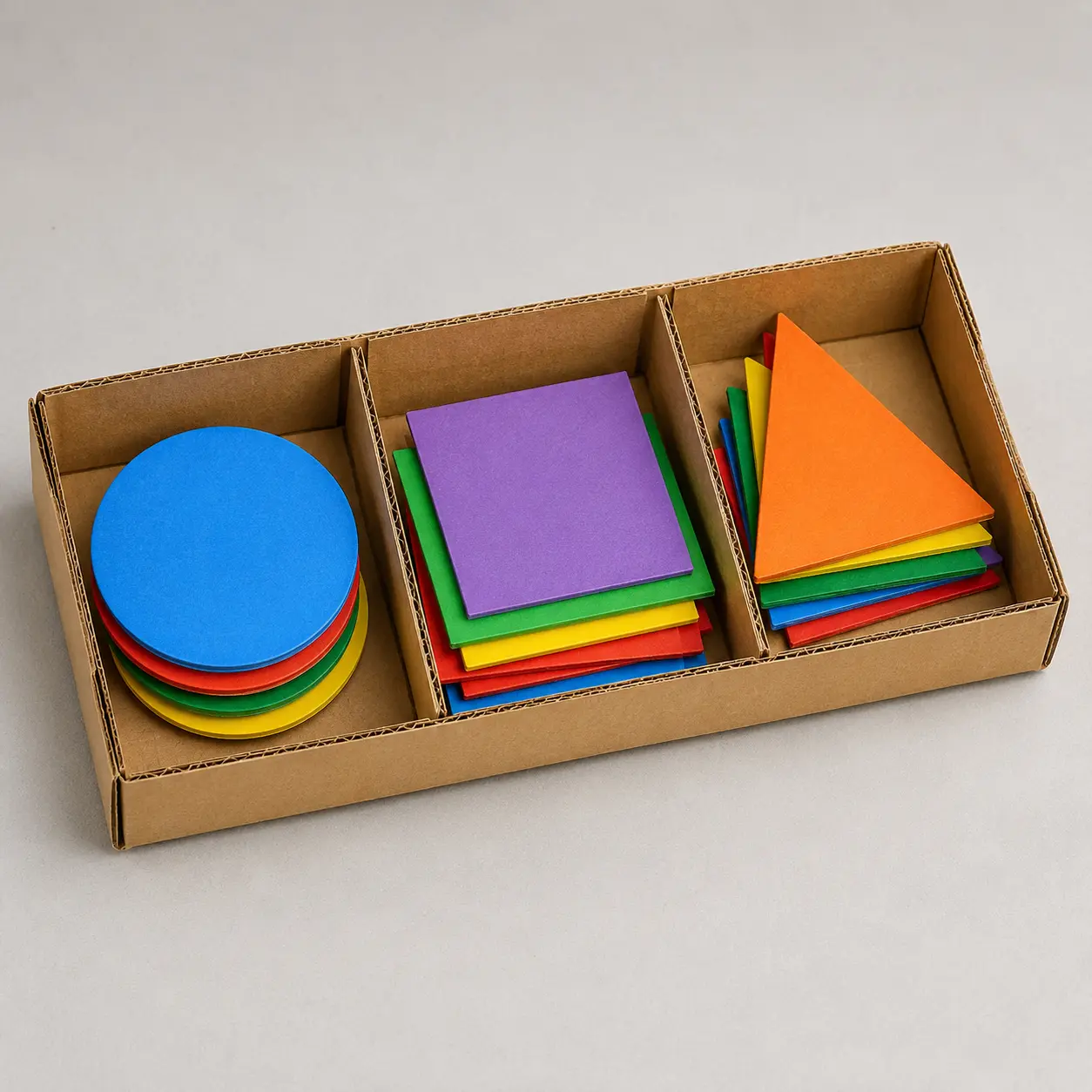
Define the need in Build a three-part tray that helps a partner sort large classroom shapes quickly and correctly. Agree on the two success checks and the listed material limits.
What students show: Two labeled ideas with the target and limits stated.3-5-ETS1-2
Compare the ideas using the project checks: Holds three groups without mixing; Partner sorts the set with no more than one error.
What students show: A selected design with a reason connected to a success check.3-5-ETS1-3
Test, change one feature and retest: A partner sorts the same mixed set three times. Record time, wrong sections and stuck pieces. Change one divider position, wall height or section size and repeat with the same set.
What students show: Before-and-after results collected under the same conditions.Materials
- Cardboard
- tape
- ruler
- twelve large shape pieces
- timer
- Pencil, planning paper and the printable design brief below
Teacher preparation
- Gather per-pair materials: Cardboard; tape; ruler; twelve large shape pieces; timer.
- Make one rough sample and rehearse the exact test: A partner sorts the same mixed set three times. Record time, wrong sections and stuck pieces.
- Set the size, load or distance marks mentioned in the steps before class. Demonstrate an ordinary first attempt, not a perfect model to copy.
- Prepare any holes, fasteners or difficult cuts for students. Check the stated safety note and clear the testing space.
Step by step
How to teach it
See the job and plan
- Introduce the finished object: Build a three-part tray that helps a partner sort large classroom shapes quickly and correctly.
- Measure the largest pieces and draw two three-compartment layouts with easy hand access.
- Students say what would count as a successful result.
Model the unfamiliar action
- Demonstrate slowly: Fold a low cardboard tray and add two dividers with tabs that touch the base.
- Pause so partners can repeat the action; provide prepared parts if cutting or folding blocks progress.
Build the first version
- Place four pieces in each section. Make sure pieces fit without hiding behind tall walls.
- Partners swap builder and checker roles halfway through. Check the working part before decorating.
Try once and save
- Run one trial of the stated test to locate an obvious problem. Do not count a changed procedure as a fair comparison.
- Label and store the model; sketch its current shape and clear the work area.
Predict and set up
- Revisit the two success checks. Agree on identical starting conditions and prepare a before/after results table.
Collect evidence
- A partner sorts the same mixed set three times. Record time, wrong sections and stuck pieces.
- One student operates while the other records. Swap for a later trial while noting a change of operator if it affects the result.
Change one thing
- Change one divider position, wall height or section size and repeat with the same set.
- Keep the original results rather than replacing them with only the best attempt.
Explain and clean up
- Submit the finished shape sorting tray, two labeled ideas and before-and-after evidence. Explain which change the results support.
- Collect the brief and results; separate reusable materials and clean the test area.
Assessment
- Holds three groups without mixing
- Partner sorts the set with no more than one error
- Student demonstrates the actual task: A partner sorts the same mixed set three times. Record time, wrong sections and stuck pieces.
- Record includes failures as well as successes.
- Student identifies one changed feature and uses the retest to explain the result.
Supports & extensions
- Provide fold marks or pre-cut parts; accept drawings or dictated observations.
- Start with the smallest working version of shape sorting tray before decoration.
- Extension after success: choose one more value for the same tested feature, predict its effect and repeat a partner sorts the same mixed set three times.
Safety & responsible use
- Teacher checks materials and test conditions before use. Use classroom scissors; adults prepare difficult cuts, holes and fasteners.
- No powered tools, coding, hot glue or electrical circuits are required. Keep moving objects contained and test loads light.
- Keep pieces on the tabletop, do not mouth materials and stop if a part tears into a sharp or loose hazard.
No-machine alternative
Use prepared paper parts, larger pieces or an adult-assisted version of the same build. Keep the functional task: Build a three-part tray that helps a partner sort large classroom shapes quickly and correctly. If physical testing is not possible, label sketches as predictions rather than measured results.
Printable student design brief
The challenge
Build a three-part tray that helps a partner sort large classroom shapes quickly and correctly.
Success criteria
- Holds three groups without mixing
- Partner sorts the set with no more than one error
- Record the stated test and explain one revision
Constraints
- Use only the listed teacher-approved materials
- Stay within the teacher-set size, load and test-space limits
- Two 45-minute meetings; keep the first version simple