For teachers
Engineering standards
This shows how the lesson connects to the national NGSS engineering standards and what student work you can collect.
3-5-ETS1-1
Teams define who needs the kinetic wind sculpture and set measurable performance, safety, material, and time limits.
What students show: User-centered problem statement with criteria and constraints.3-5-ETS1-2
Teams compare at least two circuit, code, or enclosure ideas against the success criteria.
What students show: Labeled system diagrams and a recorded design choice.3-5-ETS1-3
Teams run a repeatable test—use the same fan settings and distances to record motion, stability, and collisions—then change one variable and retest.
What students show: Test table, code or build revision, and evidence-based explanation.Materials
- Cardboard, paper, craft sticks, tape, reusable building pieces, and student-proposed materials
- Project platform: Found materials + xTool + Bambu P1S
- Breadboard, paper-circuit supplies, or low-voltage power when needed
- moving air from a hand fan at a controlled distance input component or student-designed substitute
- balanced rotation, flutter, or linked motion output component or student-designed substitute
- LEDs, resistors, jumper wires, copper tape, switches, and clips as needed
- Laser Cutting + 3D Printing materials for an optional case, sign, mount, or model
- Computer with approved coding or simulation tools when needed
- Planning sheet, ruler, and test-data table
Teacher preparation
- Build and test one possible reference solution without making it the required design.
- Prepare a basic-materials table plus optional electronics and fabrication stations.
- If coding is used, prepare a starter option for a motion plan using balance, sequence, and repeated forms; students may propose another workable control method.
- Prepare optional fabrication templates and a file rule beginning G5_21.
- Mark adult approval points before power-on and machine fabrication.
Step by step
How to teach it
Meet the user and define success
- Introduce the application: Create a sculpture whose movement changes as air speed or direction changes.
- Identify the user, need, criteria, and constraints.
- Draw a system map with input → code → output.
Build a first solution
- Choose basic, electronic, and fabricated materials based on the team's idea.
- Build with power disconnected whenever electronics are used.
- Complete an adult check, then troubleshoot one connection or physical feature at a time.
Create the behavior
- Create the first working control using a motion plan using balance, sequence, and repeated forms.
- Predict what one rule, connection, or code change will do before testing it.
- Make the system understandable with labels, diagrams, comments, or coding blocks.
Test and improve
- Use the same procedure each time: use the same fan settings and distances to record motion, stability, and collisions.
- Record at least three results.
- Change one code, circuit, or physical-design variable and retest.
Fabricate and present
- Design a laser cutting + 3d printing part that protects, mounts, or explains the electronics.
- Adult reviews and operates fabrication equipment where required.
- Connect the finished system and demonstrate how the evidence improved it.
Assessment
- Problem statement names a real user and measurable need.
- Circuit matches the team diagram and uses components safely.
- Program connects the intended input to the intended output.
- Test conditions remain consistent and include recorded evidence.
- Revision addresses a documented failure or user need.
Supports & extensions
- Use color-coded wires and a photograph of each breadboard step.
- Provide block coding or partially completed code with one change at a time.
- Assign roles: circuit builder, coder, tester, and recorder.
- Let students explain findings orally or with labeled diagrams.
- Extension: add a second sensor, output, data display, or operating mode.
Safety & responsible use
- Use only teacher-approved low-voltage classroom electronics; never connect projects to wall current.
- Disconnect power before changing wires or components.
- Use the correct resistor with every standard LED and stop immediately if a part becomes hot.
- An adult handles soldering, laser cutting, printer setup, blades, and final power approval.
- Keep liquids away from boards unless a sealed, teacher-approved sensor activity specifically requires them.
No-machine alternative
Build with cardboard, paper mechanisms, paper circuits, or a free on-screen simulator. Students may invent another safe way to model the same function, then compare ideas, test one variable, collect evidence, and revise.
Printable student design brief
The challenge
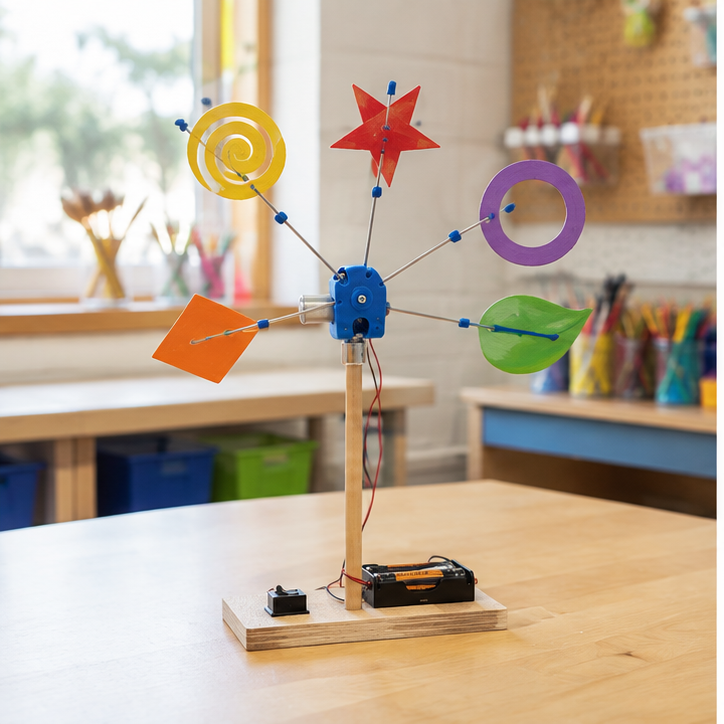
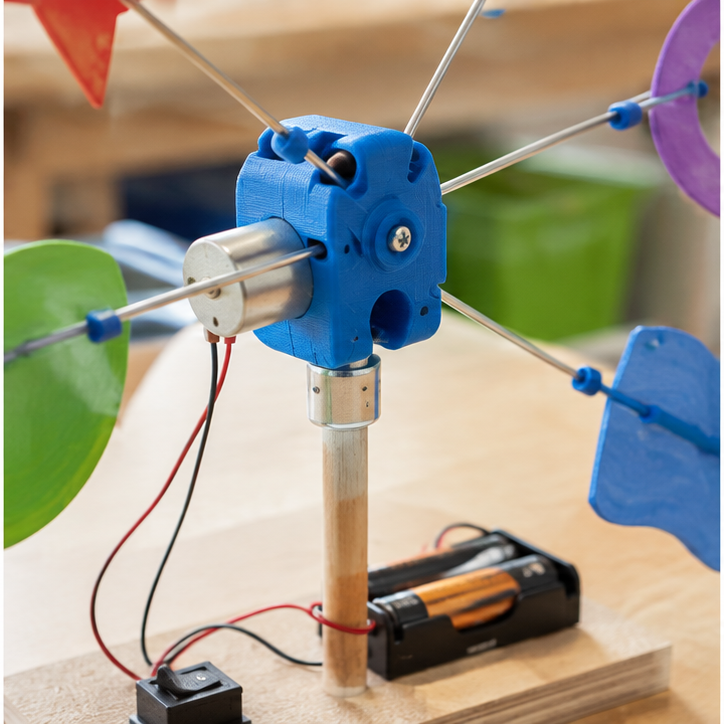
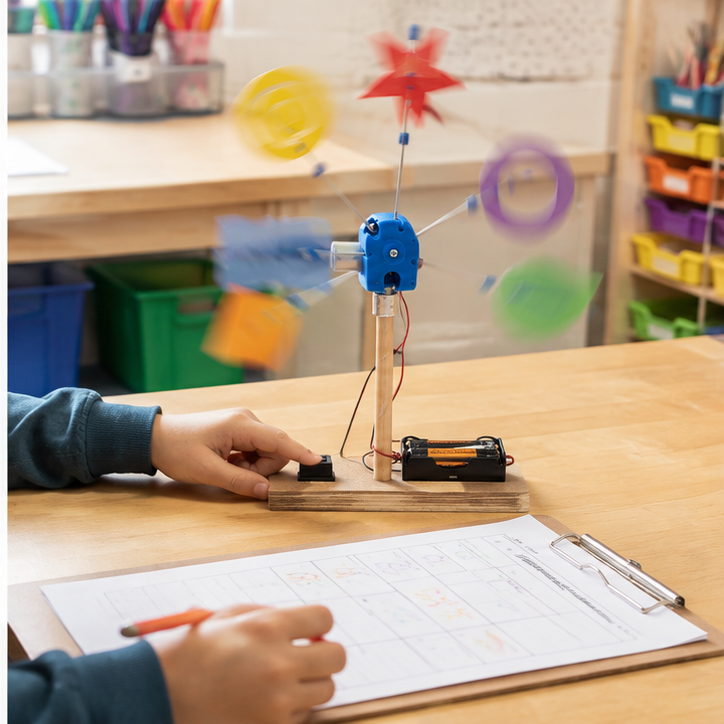
Create a working kinetic wind sculpture for this need: Create a sculpture whose movement changes as air speed or direction changes.
Success criteria
- Moves in an intentional and interesting way
- Balances without parts striking each other
- Color and shape reinforce the movement idea
Constraints
- No sharp exposed wire ends
- Uses a limited material and print budget
- Includes at least one reused or found material