No code · Grade 3 · Guided practice
How the project responds
What you will make: Explain and test the input–output rule without adding a computer.
The core project does not require programming. Optional blinking or timed-controller extensions need a teacher-selected board and a separate, matching circuit plan; do not attach this battery circuit to a computer pin.
Before you start
- Teacher prepares and checks the exact low-voltage circuit, component ratings and LED current-limiting resistor where used.
- Disconnect power before changing any connections; follow the main lesson’s safety directions.
Build it one step at a time
- Draw two boxes labeled input and output. Connect them with an arrow.
- Copy the rule below. Predict the output for each input state.
- Teacher checks the circuit and approves power-on. Change only the input, not the wiring.
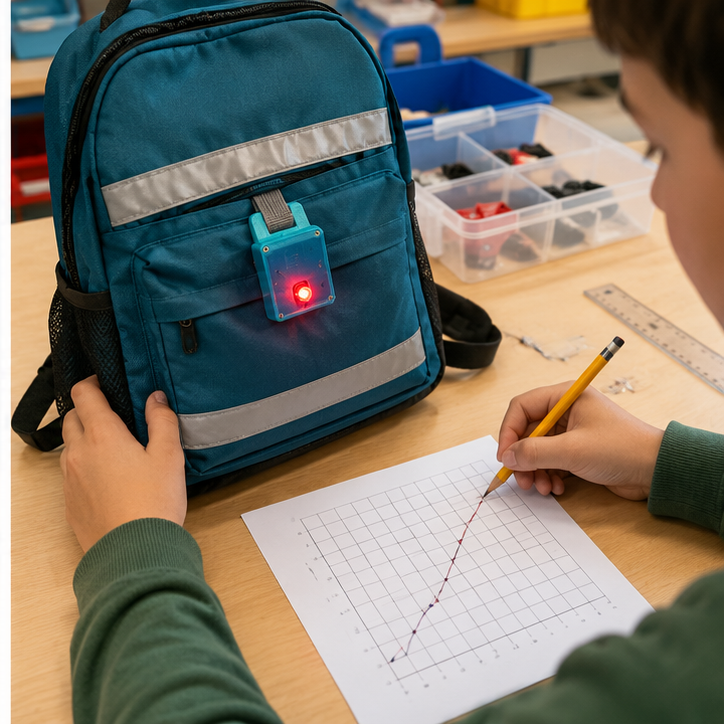
- Run three trials of both states, recording what actually happens.
- If the result differs from the rule, switch power off and ask the teacher to check the circuit before adjusting it.
Your input–output rule
Open flap → light off; closed flap → light on.Predict, test and record
Write your name and date on the printed page. Run every test, note the actual result, and retest after one change.
| Try this input | Expected result | Actual result / retest |
|---|---|---|
| Before activating the input | No alert/light | ________________ |
| Activate input using the lesson’s safe test | Expected light/alert | ________________ |
| Return to the starting state | Returns to no alert/light | ________________ |
If it does not work
- Record three flap presses and releases; the light must switch off each time the flap opens.
- A diagram of a rule is an algorithm, not uploaded code. If you choose a programmable extension, first identify the exact board, input module and output ratings.
Make one change
Change one approved mechanical feature or probe placement, keeping the circuit unchanged, then repeat the same tests.
We changed __________. We predicted __________. Our test showed __________.
Teacher pacing: Use a 45-minute coding session: 5 minutes to predict, 10 to model a first working response, 20 for paired building, 7 for tests and 3 to save and explain. Continue in another meeting if setup or debugging takes longer; do not rush hardware checks.
Grade 3 support: Model one block at a time; partners alternate choosing blocks and explaining the result. Accept spoken or drawn test evidence.
Print support: The lesson’s Print button includes this guide, recipe and test table.
For teachers
Engineering standards
This shows how the lesson connects to the national NGSS engineering standards and what student work you can collect.
3-5-ETS1-1
Teams define who needs the night-safe backpack light and set measurable performance, safety, material, and time limits.
What students show: User-centered problem statement with criteria and constraints.3-5-ETS1-2
Teams compare at least two circuit, code, or enclosure ideas against the success criteria.
What students show: Labeled system diagrams and a recorded design choice.3-5-ETS1-3
Teams run a repeatable test—view each pattern from the same marked distances and record recognition—then change one variable and retest.
What students show: Test table, code or build revision, and evidence-based explanation.Materials
- Cardboard, paper, craft sticks, tape, reusable building pieces, and student-proposed materials
- Project platform: Paper circuits + optional 3D printer
- Breadboard, paper-circuit supplies, or low-voltage power when needed
- handmade pressure or flap switch input component or student-designed substitute
- one or more LEDs output component or student-designed substitute
- LEDs, resistors, jumper wires, copper tape, switches, and clips as needed
- 3D Printing materials for an optional case, sign, mount, or model
- Computer with approved coding or simulation tools when needed
- Planning sheet, ruler, and test-data table
Teacher preparation
- Build and test one possible reference solution without making it the required design.
- Prepare a basic-materials table plus optional electronics and fabrication stations.
- If coding is used, prepare a starter option for a physical on/off sequence or optional blinking controller; students may propose another workable control method.
- Prepare optional fabrication templates and a file rule beginning G3_06.
- Mark adult approval points before power-on and machine fabrication.
Step by step
How to teach it
Meet the user and define success
- Introduce the application: Help a walker or cyclist become easier to notice in a supervised low-light setting.
- Identify the user, need, criteria, and constraints.
- Draw a system map with input → code → output.
Build a first solution
- Choose basic, electronic, and fabricated materials based on the team's idea.
- Build with power disconnected whenever electronics are used.
- Complete an adult check, then troubleshoot one connection or physical feature at a time.
Create the behavior
- Create the first working control using a physical on/off sequence or optional blinking controller.
- Predict what one rule, connection, or code change will do before testing it.
- Make the system understandable with labels, diagrams, comments, or coding blocks.
Test and improve
- Use the same procedure each time: view each pattern from the same marked distances and record recognition.
- Record at least three results.
- Change one code, circuit, or physical-design variable and retest.
Fabricate and present
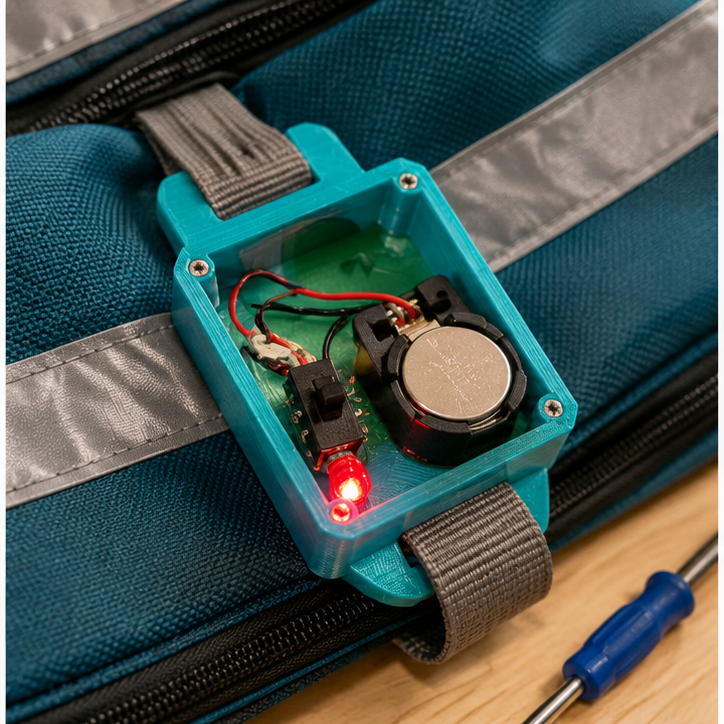
- Design a 3d printing part that protects, mounts, or explains the electronics.
- Adult reviews and operates fabrication equipment where required.
- Connect the finished system and demonstrate how the evidence improved it.
Assessment
- Problem statement names a real user and measurable need.
- Circuit matches the team diagram and uses components safely.
- Program connects the intended input to the intended output.
- Test conditions remain consistent and include recorded evidence.
- Revision addresses a documented failure or user need.
Supports & extensions
- Use color-coded wires and a photograph of each breadboard step.
- Provide block coding or partially completed code with one change at a time.
- Assign roles: circuit builder, coder, tester, and recorder.
- Let students explain findings orally or with labeled diagrams.
- Extension: add a second sensor, output, data display, or operating mode.
Safety & responsible use
- Use only teacher-approved low-voltage classroom electronics; never connect projects to wall current.
- Disconnect power before changing wires or components.
- Use the correct resistor with every standard LED and stop immediately if a part becomes hot.
- An adult handles soldering, laser cutting, printer setup, blades, and final power approval.
- Keep liquids away from boards unless a sealed, teacher-approved sensor activity specifically requires them.
No-machine alternative
Build with cardboard, paper mechanisms, paper circuits, or a free on-screen simulator. Students may invent another safe way to model the same function, then compare ideas, test one variable, collect evidence, and revise.
Printable student design brief
The challenge
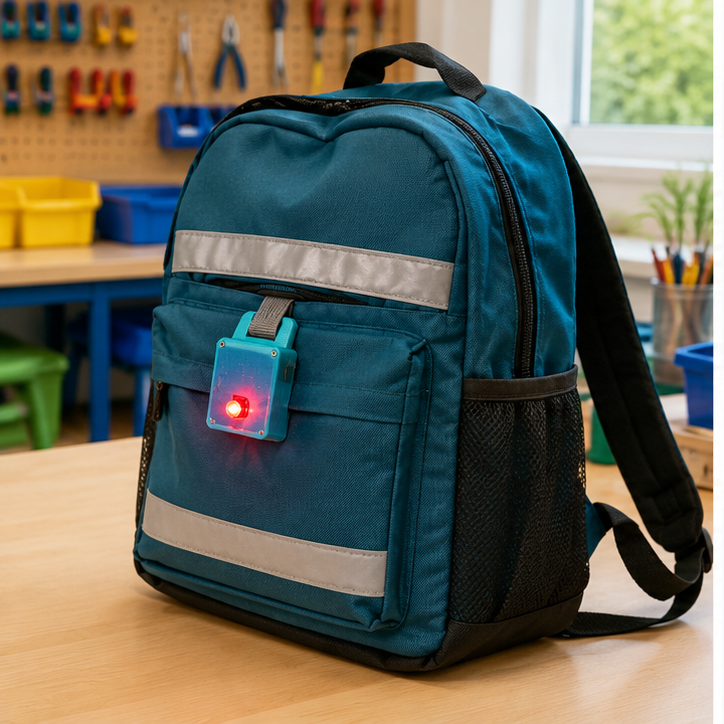
Create a working night-safe backpack light for this need: Help a walker or cyclist become easier to notice in a supervised low-light setting.
Success criteria
- Lights reliably when pressed
- Can be recognized from the test distance
- Housing attaches securely without sharp edges
Constraints
- Prototype only—not certified safety equipment
- Uses approved low-voltage power
- May use basic materials instead of a printed case