For teachers
Engineering standards
This shows how the lesson connects to the national NGSS engineering standards and what student work you can collect.
3-5-ETS1-1
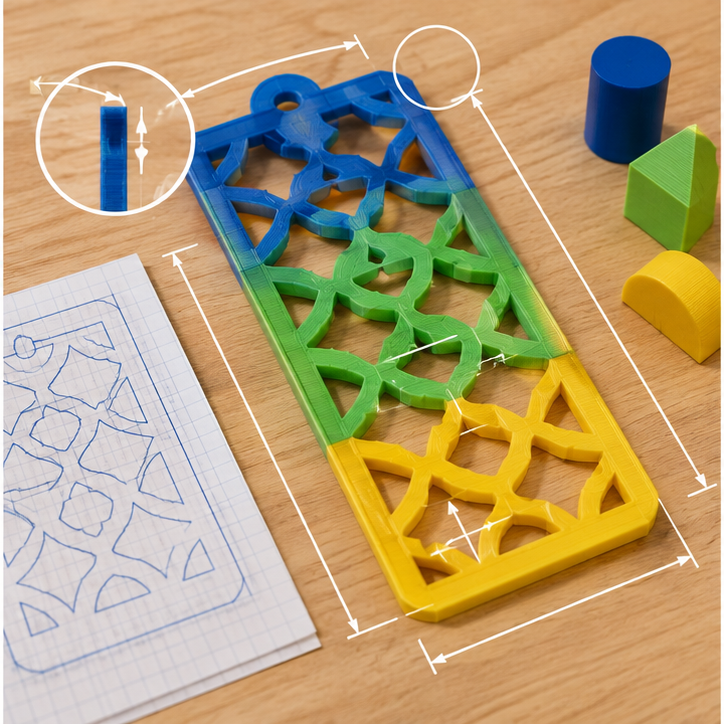
Teams define the user or purpose and set measurable size, performance, material, and print-time limits before modeling.
What students show: Problem statement, criteria, constraints, measurements, and labeled sketch.3-5-ETS1-2
Students sketch and compare at least two possible forms before choosing or combining features for the digital model.
What students show: Two ideas and a criteria-based design choice.3-5-ETS1-3
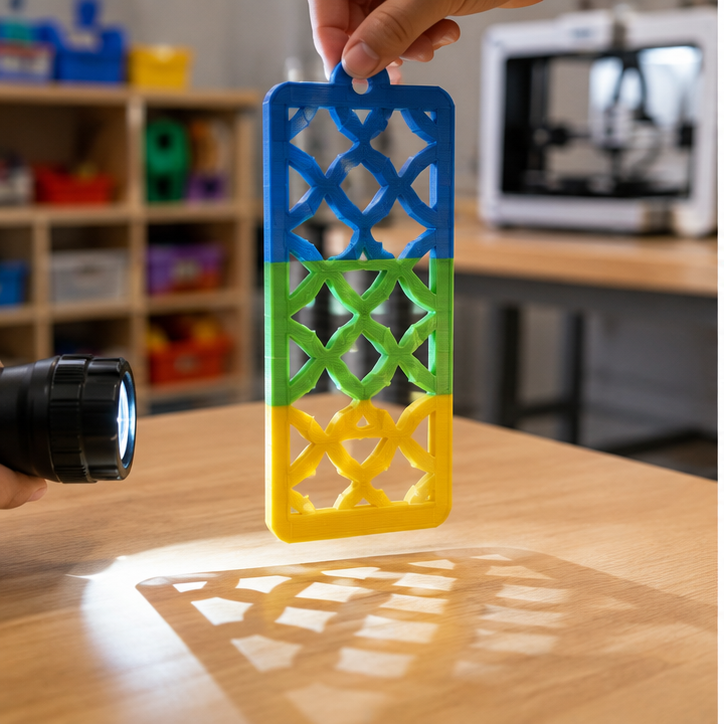
Teams use a repeatable test—hold the same cool LED at the same distance and ask viewers which pattern is clearest—identify a failure point, revise one dimension or feature, and retest.
What students show: Test data, version comparison, and evidence-based explanation.Materials
- Cool LED flashlights
- White shadow screens
- Paper-cut pattern prototypes
- Rulers or calipers
- Graph paper, pencils, cardboard, clay, and tape for prototypes
- Computer or tablet with educator-managed Tinkercad access
- PLA filament; teacher sets a project-specific gram and print-time budget
- Finished test objects appropriate to the lesson
Teacher preparation
- Create an educator-managed Tinkercad class and assignment link; students do not enter personal information.
- Prepare one navigation demonstration using drag, zoom, orbit, undo, and view cube.
- Set the build envelope, minimum wall thickness, minimum feature size, and maximum print time for the class.
- Create the file rule G3_48_Team##_v1.
- Prepare shared build plates and an adult review queue for dimensions, orientation, stability, material use, and safe slicing.
Step by step
How to teach it
Define and measure
- Introduce the mission: Create a hanging panel that casts a clear repeating shadow pattern from a cool LED flashlight.
- Identify the user, criteria, constraints, and measurements that matter.
- Sketch two different solutions at approximately full size.
Prototype and compare
- Build quick cardboard or clay versions.
- Compare both ideas against the shared criteria.
- Select or combine features and predict the likely failure point.
Tinkercad skill warm-up
- Create a thin frame with a large hole shape.
- Build one bold pattern opening and duplicate it.
- Rotate, align, and group the openings while keeping strong bridges.
Build the digital model
- Place the ruler and enter important dimensions instead of guessing.
- Use align and group to create clean, intentional geometry.
- Inspect from top, front, side, and underneath; name the file correctly and submit for teacher review.
Print, test, and improve
- An adult slices, approves, operates printers, and removes parts.
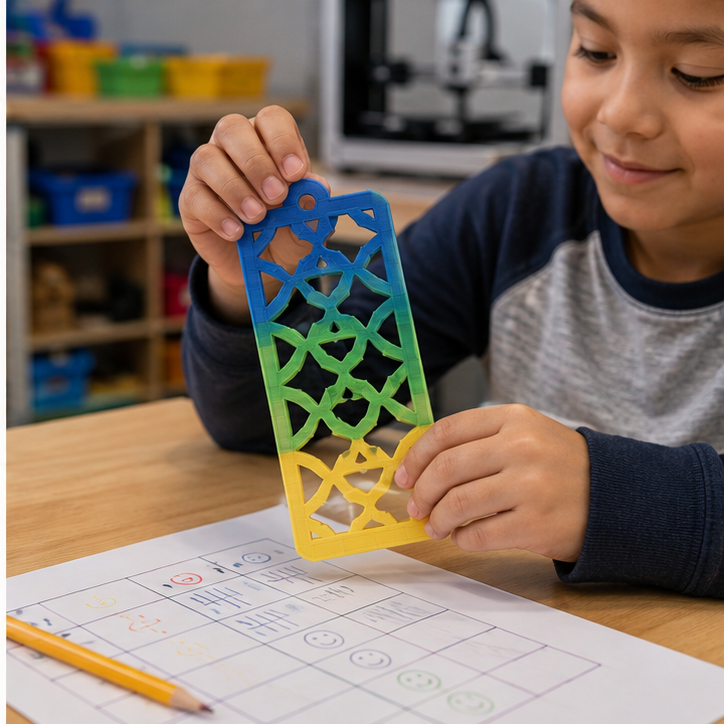
- Use the same test procedure each time: hold the same cool LED at the same distance and ask viewers which pattern is clearest.
- Revise one dimension or feature in a new Tinkercad version and explain the expected improvement.
Assessment
- Problem includes a user or purpose plus measurable criteria and constraints.
- Two sketches show meaningfully different solutions.
- Tinkercad model uses entered dimensions and purposeful tool choices.
- Model meets the teacher's printability and material-budget checklist.
- Test is repeatable and the revision responds to evidence.
Supports & extensions
- Provide a Tinkercad picture guide and a starter file containing only basic reference shapes.
- Use mouse practice, larger grid snap, and one new tool at a time.
- Allow a student to direct a partner or teacher who performs fine cursor movements.
- Offer measured template objects while preserving choices about form and features.
- Extension: reduce material, add a moving fit, or create two size variants using parameters recorded on paper.
Safety & responsible use
- Students do not touch hot ends, heated beds, or moving printer parts.
- An adult handles slicing approval, printer setup, monitoring, part removal, and support cleanup.
- Use only lab-approved PLA and teacher-managed accounts; never publish student names or designs publicly without permission.
- Check finished parts for sharp strings, weak points, and small-piece hazards before use.
- Printed parts are prototypes—not food-safe, medical, climbing, load-bearing, or life-safety products.
No-machine alternative
Build the final version with cardboard, clay, foam, paper tubes, reusable construction pieces, or teacher-prepared shapes. Keep the same measurements, criteria, fair test, evidence, and revision cycle.
Printable student design brief
The challenge
Create a hanging panel that casts a clear repeating shadow pattern from a cool LED flashlight.
Success criteria
- Casts a visible repeating pattern
- Panel stays flat and connected
- Includes a strong hanging opening
Constraints
- Cool LED light only
- Openings and bridges meet minimum-size rules
- Fits the teacher's thin-panel print limit