Arduino · Grade 5 · Guided practice
How to code this project
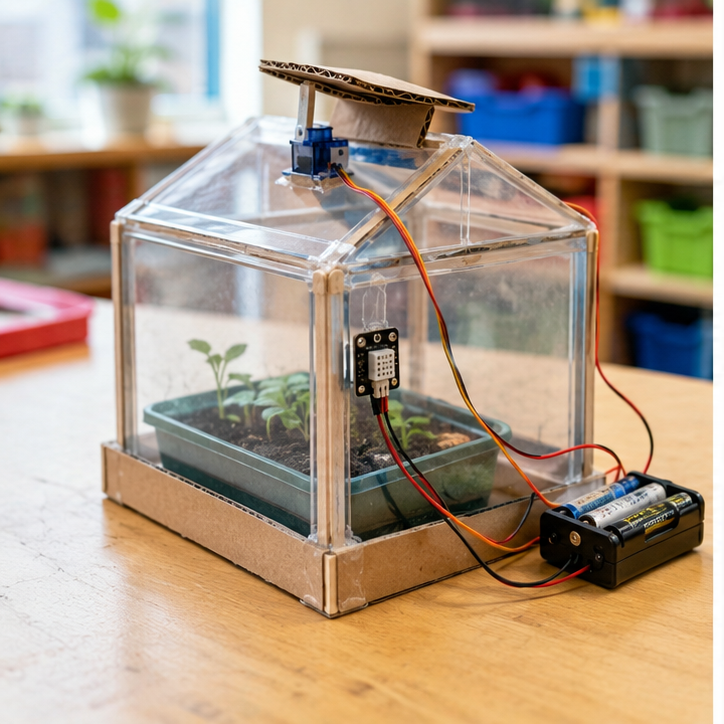
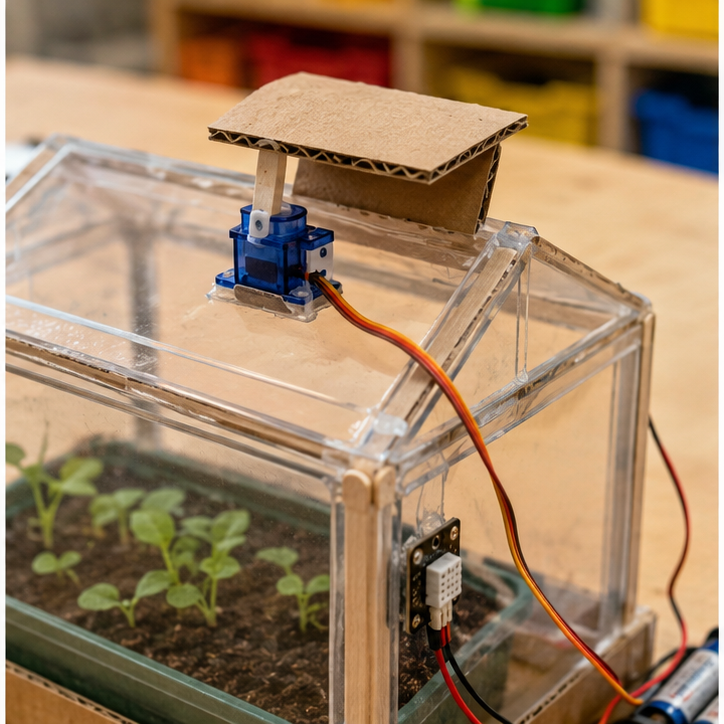
What you will make: Open a model vent at 28 C and close it at 26 C, keeping the previous position between these temperatures.
Teacher-supported Uno R3 + TMP36 + positional hobby servo reference build. Two different thresholds prevent rapid opening and closing near one boundary. Demonstration thresholds are not plant-care recommendations.
Before you start
- Reference build only: Arduino Uno R3 (5 V, 10-bit analog input), TMP36 temperature sensor, breadboard and insulated jumpers. This sketch is NOT for a DHT, thermistor, CO₂ sensor, Uno R4 or a 3.3 V board without adaptation.
- Disconnect power. An adult checks the exact TMP36 package pin diagram: connect +Vs to 5 V, GND to GND and Vout to A0. Follow the manufacturer’s decoupling guidance. Do not identify pins from a generic picture or another sensor’s wire colors.
- Use a teacher-approved USB supply and dry work surface. Open Serial Monitor at 9600 baud. Check a plausible room-temperature reading before building an enclosure.
- Use a standard positional servo, not a continuous-rotation motor. Adult selects an approved regulated servo supply of the correct voltage/current. Servo signal → D9; servo ground, supply ground and Uno GND join. Servo power comes from that separate supply, NOT an I/O pin. Do not join the external positive supply to Uno 5 V in this USB-powered build.
- First test the servo with NO vent linkage attached and keep fingers clear. Teacher checks its allowed travel and supply before fitting the model. Use only gentle hand warmth for real sensor tests; never flames, hot water or heat guns.
Opening and saving: In the teacher-installed Arduino IDE, open a new sketch, replace its entire contents with the starter, and save it with a project name. Select Arduino Uno and the connected port, click Verify (check mark), then Upload (arrow). Disconnect power before wiring. If uploading fails, check the board, USB data cable and port with the teacher. These starters still require an adult bench test on your actual hardware.
Build it one step at a time
- First verify the TMP36 using the Classroom Air Monitor lesson. Then power off before adding the teacher-checked servo circuit.
- Paste the full sketch. Verify the Servo library is available; use the official Arduino Servo library if an install is required.
- Leave testMode true for a dry run. With the linkage detached, upload and enter 25, 29, 27 and 25 in Serial Monitor at 9600 baud, one number per line.
- Observe: closed, open, still open, closed. Read how the two if conditions create a band in which the previous state is kept.
- Set testMode false and upload again to read the real TMP36. Confirm plausible readings before any sensor warming.
- Disconnect power to fit the vent. Adult checks that the chosen 20/100-degree positions cannot jam it. Repeat tests, changing travel angles only after inspection.
Complete starter sketch
#include <Servo.h>
Servo vent;
bool isOpen = false;
const bool testMode = true; // false = real TMP36 input
float testC = 25.0;
float readC() {
  float volts = analogRead(A0) * (5.0 / 1023.0);
  return (volts - 0.5) * 100.0;
}
void setup() {
  Serial.begin(9600);
  Serial.setTimeout(100);
  vent.write(20);
  vent.attach(9);
}
void loop() {
  if (testMode && Serial.available()) {
    testC = Serial.parseFloat();
    while (Serial.available()) Serial.read();
  }
  float c = testMode ? testC : readC();
  if (!isOpen && c >= 28.0) {
    isOpen = true;
    vent.write(100);
  } else if (isOpen && c <= 26.0) {
    isOpen = false;
    vent.write(20);
  }
  Serial.print(testMode ? "SIMULATED C: " : "Measured C: ");
  Serial.print(c);
  Serial.println(isOpen ? " OPEN" : " CLOSED");
  delay(250);
}
Predict, test and record
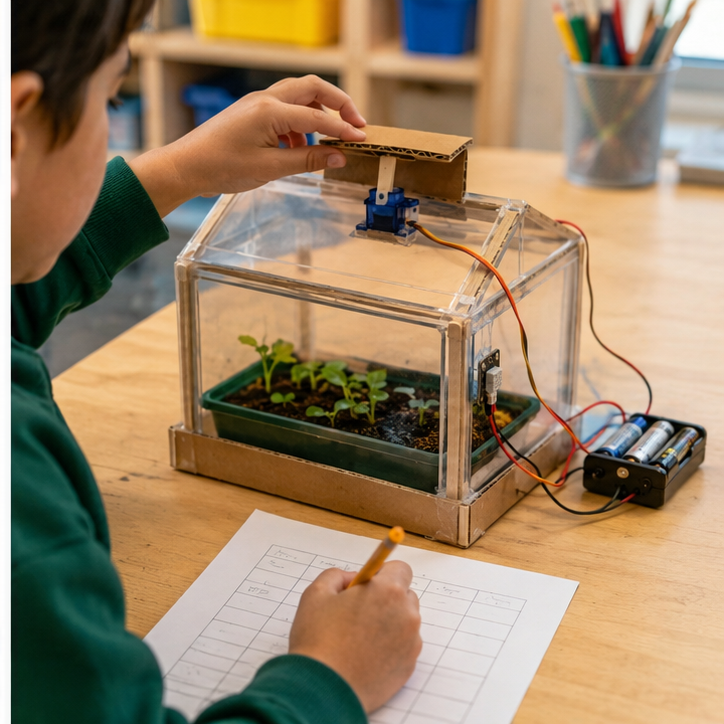
Write your name and date on the printed page. Run every test, note the actual result, and retest after one change.
| Try this input | Expected result | Actual result / retest |
|---|---|---|
| Test mode: enter 25 then 29 | Closed then Open | ________________ |
| Enter 27 after 29 | Stays Open | ________________ |
| Enter 25 then 27 | Closes, then stays Closed | ________________ |
If it does not work
- Vent chatters or board resets? Stop power; adult checks supply capacity, common ground and a jammed linkage.
- Temperature never responds to the sensor? Set testMode false and re-upload.
- Servo spins continuously? Wrong motor type; disconnect and use a positional servo.
Make one change
Explain what the vent does at exactly 26 and 28 C. Choose another justified pair of thresholds with the teacher and repeat both warming and cooling sequences.
We changed __________. We predicted __________. Our test showed __________.
Teacher pacing: Use a 45-minute coding session: 5 minutes to predict, 10 to model a first working response, 20 for paired building, 7 for tests and 3 to save and explain. Continue in another meeting if setup or debugging takes longer; do not rush hardware checks.
Grade 5 support: Start with the working reference version, then explain each condition or state. Keep an input/expected/actual test log and change only one variable at a time.
Teacher learning resources
- Analog Devices: TMP36 specifications and datasheet ↗
- Arduino: analogRead reference ↗
- Arduino: basic servo control ↗
Preview resources before class. Follow this page’s specified reference build; another tutorial may use different hardware.
Print support: The lesson’s Print button includes this guide, recipe and test table.
For teachers
Engineering standards
This shows how the lesson connects to the national NGSS engineering standards and what student work you can collect.
3-5-ETS1-1
Teams define who needs the smart greenhouse vent and set measurable performance, safety, material, and time limits.
What students show: User-centered problem statement with criteria and constraints.3-5-ETS1-2
Teams compare at least two circuit, code, or enclosure ideas against the success criteria.
What students show: Labeled system diagrams and a recorded design choice.3-5-ETS1-3
Teams run a repeatable test—warm and cool the sensor safely while recording temperature and vent position—then change one variable and retest.
What students show: Test table, code or build revision, and evidence-based explanation.Materials
- Cardboard, paper, craft sticks, tape, reusable building pieces, and student-proposed materials
- Project platform: Arduino + laser cutter
- Breadboard, paper-circuit supplies, or low-voltage power when needed
- temperature sensor input component or student-designed substitute
- servo-controlled vent output component or student-designed substitute
- LEDs, resistors, jumper wires, copper tape, switches, and clips as needed
- Laser Cutting materials for an optional case, sign, mount, or model
- Computer with approved coding or simulation tools when needed
- Planning sheet, ruler, and test-data table
Teacher preparation
- Build and test one possible reference solution without making it the required design.
- Prepare a basic-materials table plus optional electronics and fabrication stations.
- If coding is used, prepare a starter option for thresholds with hysteresis to prevent rapid switching; students may propose another workable control method.
- Prepare optional fabrication templates and a file rule beginning G5_12.
- Mark adult approval points before power-on and machine fabrication.
Step by step
How to teach it
Meet the user and define success
- Introduce the application: Open a model greenhouse vent when it becomes warm and close it after conditions cool.
- Identify the user, need, criteria, and constraints.
- Draw a system map with input → code → output.
Build a first solution
- Choose basic, electronic, and fabricated materials based on the team's idea.
- Build with power disconnected whenever electronics are used.
- Complete an adult check, then troubleshoot one connection or physical feature at a time.
Create the behavior
- Create the first working control using thresholds with hysteresis to prevent rapid switching.
- Predict what one rule, connection, or code change will do before testing it.
- Make the system understandable with labels, diagrams, comments, or coding blocks.
Test and improve
- Use the same procedure each time: warm and cool the sensor safely while recording temperature and vent position.
- Record at least three results.
- Change one code, circuit, or physical-design variable and retest.
Fabricate and present
- Design a laser cutting part that protects, mounts, or explains the electronics.
- Adult reviews and operates fabrication equipment where required.
- Connect the finished system and demonstrate how the evidence improved it.
Assessment
- Problem statement names a real user and measurable need.
- Circuit matches the team diagram and uses components safely.
- Program connects the intended input to the intended output.
- Test conditions remain consistent and include recorded evidence.
- Revision addresses a documented failure or user need.
Supports & extensions
- Use color-coded wires and a photograph of each breadboard step.
- Provide block coding or partially completed code with one change at a time.
- Assign roles: circuit builder, coder, tester, and recorder.
- Let students explain findings orally or with labeled diagrams.
- Extension: add a second sensor, output, data display, or operating mode.
Safety & responsible use
- Use only teacher-approved low-voltage classroom electronics; never connect projects to wall current.
- Disconnect power before changing wires or components.
- Use the correct resistor with every standard LED and stop immediately if a part becomes hot.
- An adult handles soldering, laser cutting, printer setup, blades, and final power approval.
- Keep liquids away from boards unless a sealed, teacher-approved sensor activity specifically requires them.
No-machine alternative
Build with cardboard, paper mechanisms, paper circuits, or a free on-screen simulator. Students may invent another safe way to model the same function, then compare ideas, test one variable, collect evidence, and revise.
Printable student design brief
The challenge
Create a working smart greenhouse vent for this need: Open a model greenhouse vent when it becomes warm and close it after conditions cool.
Success criteria
- Vent opens and closes at justified temperatures
- Does not chatter rapidly near the threshold
- Mechanism moves freely and protects wiring
Constraints
- Uses teacher-approved gentle warming only
- Adult operates the laser cutter
- Includes a manual power-off method