Scratch · Grade 3 · Guided practice
How to code this project
What you will make: Make an on-screen plant sign change between Dry, Damp and Wet.
Optional coding model. The slider represents a made-up moisture score; Scratch is not reading the plant or a physical moisture sensor. The main project can still use a hand-moved pointer.
Before you start
- Draw one sign sprite with three costumes named Dry, Damp and Wet. Include words or symbols, not color alone.
- In Variables, make moisture for all sprites. Show its monitor, change the monitor to a slider, and set its range to 0–100.
Opening and saving: Open the teacher-approved Scratch editor and select your sprite. The recipe is a block-by-block guide, not text to paste into Scratch. Build blocks with matching names and keep indented lines inside their enclosing blocks. Save through File → Save to your computer as an .sb3 file; no public sharing is required.
Build it one step at a time
- Select the sign sprite. Add a yellow Events green-flag block.
- Add set moisture to 50 from Variables, then a forever block from Control.
- Inside forever, add if–else. Put the green Operators test moisture < 30 in its condition.
- Put switch costume to Dry in the first branch. In else, nest a second if–else testing moisture > 70; choose Wet there and Damp in its else.
- Add wait 0.1 seconds at the bottom inside forever. Start and move the slider.
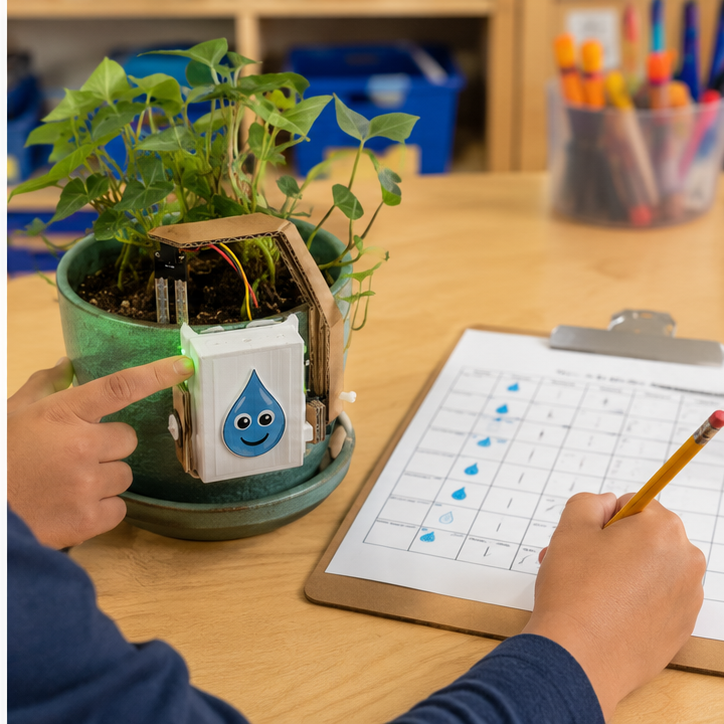
- Compare these fictional scores with your actual soil observations on paper; do not call the scores measured data.
Your block recipe
when green flag clicked
set [moisture] to (50)
forever
  if <(moisture) < (30)> then
    switch costume to [Dry]
  else
    if <(moisture) > (70)> then
      switch costume to [Wet]
    else
      switch costume to [Damp]
  wait (0.1) seconds
Predict, test and record
Write your name and date on the printed page. Run every test, note the actual result, and retest after one change.
| Try this input | Expected result | Actual result / retest |
|---|---|---|
| Slider 10 | Dry | ________________ |
| Slider 50; then exactly 30 and 70 | Damp for all three | ________________ |
| Slider 90 | Wet | ________________ |
If it does not work
- Stays on one costume? Check that the decisions are INSIDE forever.
- Wrong state at 50? Put the second if–else inside the first else, not underneath it.
Make one change
Change one threshold, predict which scores change state, and test those scores again.
We changed __________. We predicted __________. Our test showed __________.
Teacher pacing: Use a 45-minute coding session: 5 minutes to predict, 10 to model a first working response, 20 for paired building, 7 for tests and 3 to save and explain. Continue in another meeting if setup or debugging takes longer; do not rush hardware checks.
Grade 3 support: Model one block at a time; partners alternate choosing blocks and explaining the result. Accept spoken or drawn test evidence.
Teacher learning resources
Preview resources before class. Follow this page’s specified reference build; another tutorial may use different hardware.
Print support: The lesson’s Print button includes this guide, recipe and test table.
For teachers
Engineering standards
This shows how the lesson connects to the national NGSS engineering standards and what student work you can collect.
3-5-ETS1-1
Teams define who needs the smart plant guardian and set measurable performance, safety, material, and time limits.
What students show: User-centered problem statement with criteria and constraints.3-5-ETS1-2
Teams compare at least two circuit, code, or enclosure ideas against the success criteria.
What students show: Labeled system diagrams and a recorded design choice.3-5-ETS1-3
Teams run a repeatable test—measure the same dry, damp, and wet soil samples in the same order—then change one variable and retest.
What students show: Test table, code or build revision, and evidence-based explanation.Materials
- Cardboard, paper, craft sticks, tape, reusable building pieces, and student-proposed materials
- Project platform: Basic materials + optional moisture sensor + vinyl cutter
- Breadboard, paper-circuit supplies, or low-voltage power when needed
- soil sample, probe, or moisture sensor input component or student-designed substitute
- student-designed color, pointer, or LED signal output component or student-designed substitute
- LEDs, resistors, jumper wires, copper tape, switches, and clips as needed
- Vinyl cutting materials for an optional case, sign, mount, or model
- Computer with approved coding or simulation tools when needed
- Planning sheet, ruler, and test-data table
Teacher preparation
- Build and test one possible reference solution without making it the required design.
- Prepare a basic-materials table plus optional electronics and fabrication stations.
- If coding is used, prepare a starter option for a student-written decision rule or optional if/then blocks; students may propose another workable control method.
- Prepare optional fabrication templates and a file rule beginning G3_05.
- Mark adult approval points before power-on and machine fabrication.
Step by step
How to teach it
Meet the user and define success
- Introduce the application: Help a classroom gardener notice dry soil without guessing or overwatering.
- Identify the user, need, criteria, and constraints.
- Draw a system map with input → code → output.
Build a first solution
- Choose basic, electronic, and fabricated materials based on the team's idea.
- Build with power disconnected whenever electronics are used.
- Complete an adult check, then troubleshoot one connection or physical feature at a time.
Create the behavior
- Create the first working control using a student-written decision rule or optional if/then blocks.
- Predict what one rule, connection, or code change will do before testing it.
- Make the system understandable with labels, diagrams, comments, or coding blocks.
Test and improve
- Use the same procedure each time: measure the same dry, damp, and wet soil samples in the same order.
- Record at least three results.
- Change one code, circuit, or physical-design variable and retest.
Fabricate and present
- Design a vinyl cutting part that protects, mounts, or explains the electronics.
- Adult reviews and operates fabrication equipment where required.
- Connect the finished system and demonstrate how the evidence improved it.
Assessment
- Problem statement names a real user and measurable need.
- Circuit matches the team diagram and uses components safely.
- Program connects the intended input to the intended output.
- Test conditions remain consistent and include recorded evidence.
- Revision addresses a documented failure or user need.
Supports & extensions
- Use color-coded wires and a photograph of each breadboard step.
- Provide block coding or partially completed code with one change at a time.
- Assign roles: circuit builder, coder, tester, and recorder.
- Let students explain findings orally or with labeled diagrams.
- Extension: add a second sensor, output, data display, or operating mode.
Safety & responsible use
- Use only teacher-approved low-voltage classroom electronics; never connect projects to wall current.
- Disconnect power before changing wires or components.
- Use the correct resistor with every standard LED and stop immediately if a part becomes hot.
- An adult handles soldering, laser cutting, printer setup, blades, and final power approval.
- Keep liquids away from boards unless a sealed, teacher-approved sensor activity specifically requires them.
No-machine alternative
Build with cardboard, paper mechanisms, paper circuits, or a free on-screen simulator. Students may invent another safe way to model the same function, then compare ideas, test one variable, collect evidence, and revise.
Printable student design brief
The challenge
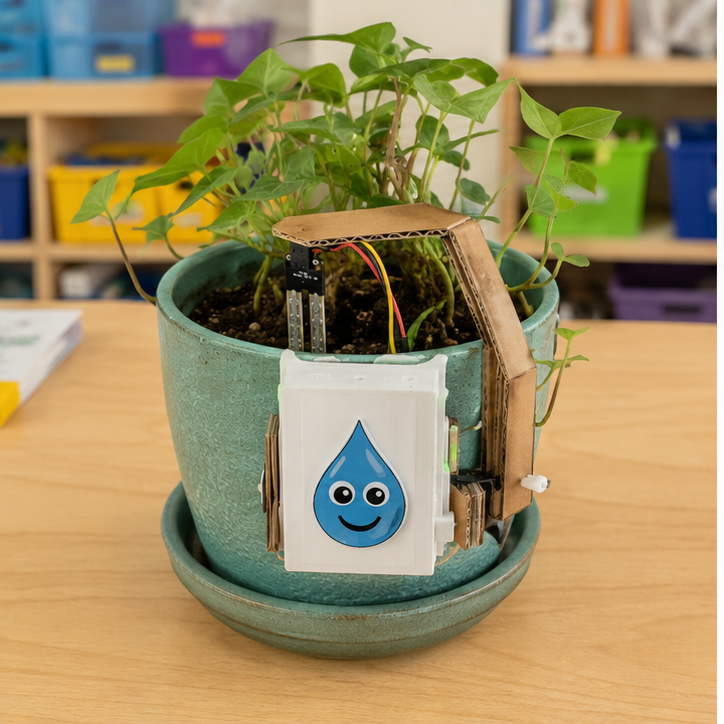
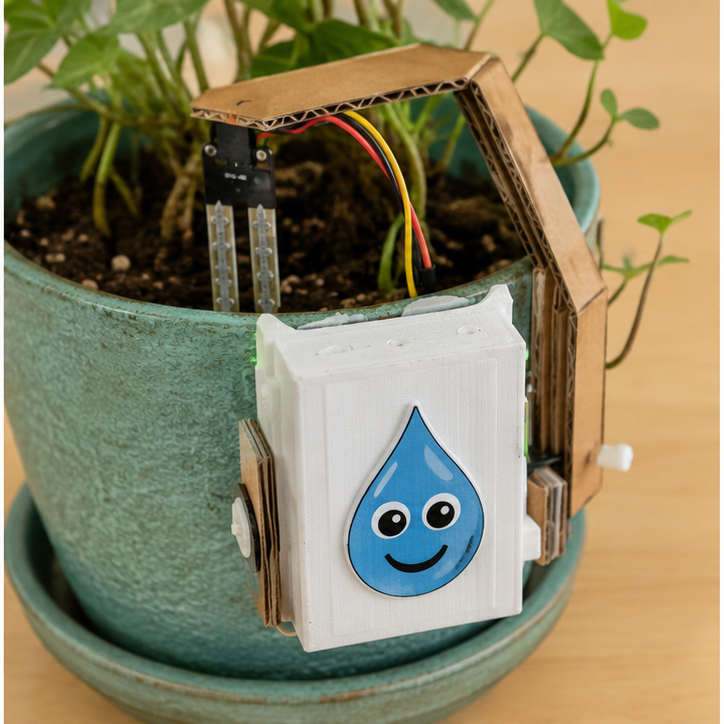
Create a working smart plant guardian for this need: Help a classroom gardener notice dry soil without guessing or overwatering.
Success criteria
- Shows a clear dry, damp, or wet signal
- Is easy for a student gardener to understand
- Keeps powered parts away from splashes
Constraints
- May be observational, mechanical, or electronic
- Sensor enters soil but powered parts stay dry
- Tests the same three samples each time